Plus UI Blogger Safelink for AdLinkFly - Full Integration Guide & Free Download
File Notice
The main file is packed in a RAR archive. Extract first → then access final ZIP file.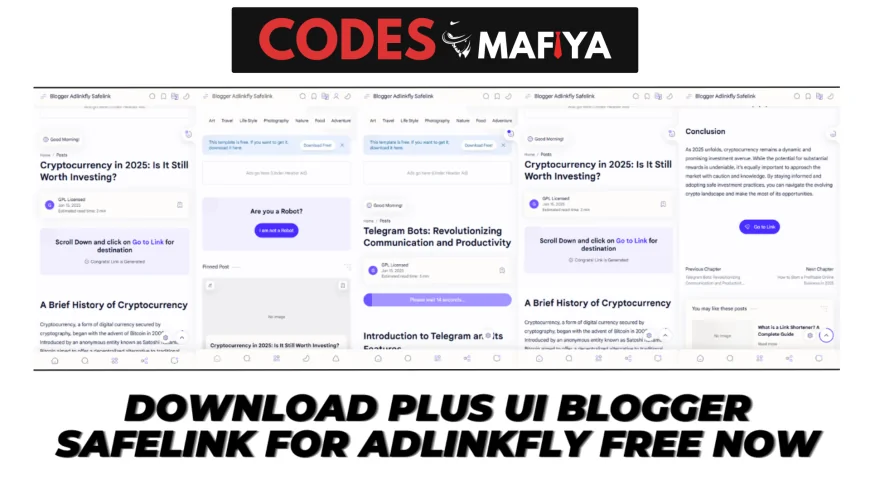
Plus UI Blogger Safelink for AdLinkFly allows you to securely redirect your users using a fast, responsive, and SEO-friendly safelink system. It is the perfect solution for Blogger + AdLinkFly integration to increase earnings, protect links, and improve user experience.
Step-by-Step Guide
Step 1: Download the Template
Start by downloading the Plus UI Blogger Safelink Template.
Make sure to get it from a trusted source to avoid any malware or malicious code.
Step 2: Set Up a Blogger Account
If you don’t have a Blogger account:
-
Go to Blogger.com
-
Create a free account
-
Set up a new blog for your Safelink pages
Blogger is free, fast, and works perfectly for safelink systems.
Step 3: Install the Template
-
Open your Blogger Dashboard
-
Go to Theme
-
Click Customize → Restore / Upload
-
Upload the downloaded Plus UI Safelink Template
-
Save changes
Your safelink design is now active.
Step 4: Integrate With AdLinkFly
-
Log in to your AdLinkFly Hosting Panel
-
Go to File Manager → /public_html/plugins/YourTheme/src/Template/Links/view_banner.ctp
-
Copy and paste the following PHP code at the top of the file:
$lurl = "adlinkfly.com"; // shortner domain
$burl = "blogger-adlinkfly-safelink.blogspot.com"; // blogger website domain

if ($_POST['ref']) {
} else {
    $ref = $_SERVER['HTTP_REFERER'];
    $do = parse_url($ref);
    $refer = $do['host'];
}

if ($refer == $burl) {
} else {
    $originalLink = 'https://' . $lurl . '/' . urlencode($link->alias);

    $appUrl = 'https://' . $burl . '/';
    $encodedLink = base64_encode($originalLink);
    $finalUrl = $appUrl . '#?url=' . $encodedLink;

    header("Location: $finalUrl", true, 307);
    exit();
}
?>
Step 5: Change Your Domains
Replace two values in the code:
adlinkfly.com→ Your AdLinkFly domainblogger-adlinkfly-safelink.blogspot.com→ Your Blogger Safelink domain- Save changes.
Your safelink integration is complete!